SERHILL FOR PERSONAL TRAINERS

Run Your Coaching Business From One Connected Workspace

Manage clients, training, scheduling, nutrition, progress, communication, payments, and business records from the web and the SERHILL mobile app.

Built for independent, in-person, online, and hybrid personal trainers.
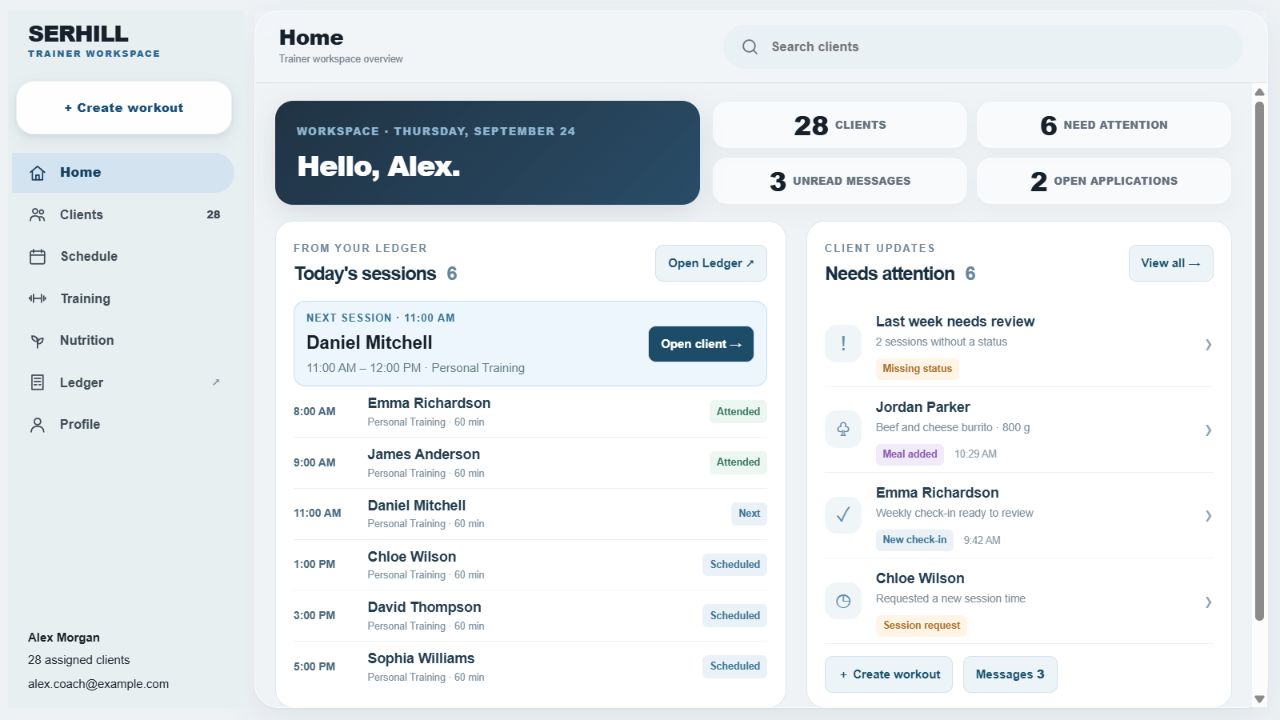
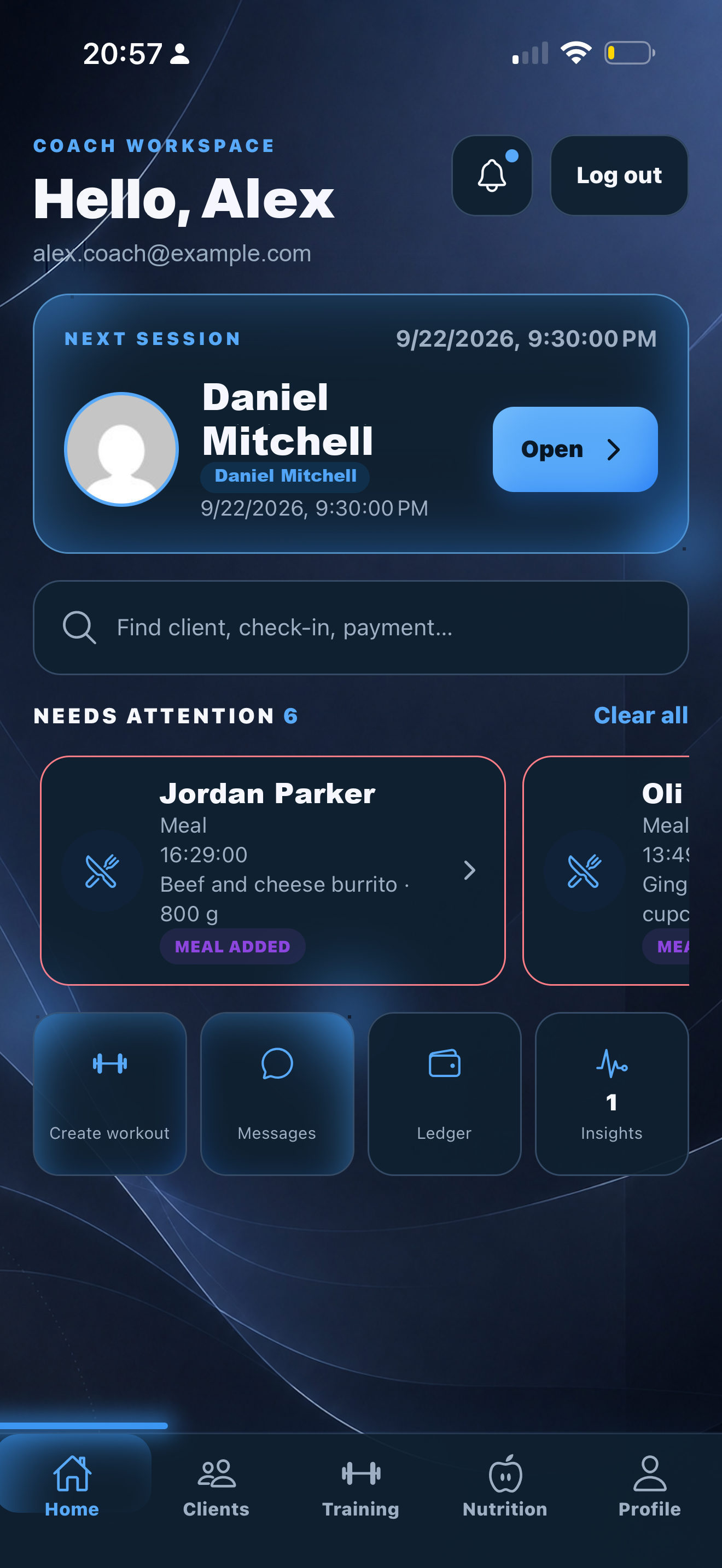
Trainer web Home preview
SERHILL trainer mobile Home

Web + mobile · Sample data · Web Home update preview

ONE CONNECTED COACHING SYSTEM

Your Coaching Business Should Not Live in Five Different Places

Scheduling, workouts, nutrition, messages, payments, and progress lose context when they live in separate tools.

CalendarNotesWorkout AppFood LogPaymentsMessages
→
SERHILLClientsTrainingScheduleNutritionProgressBusiness
TRAINER HOME

Know Who Needs Your Attention Today

SERHILL surfaces the records that may need review, then takes you directly to the client or action behind them.

  • Next session
  • New check-ins and meals
  • Unread messages
  • Session change or cancellation requests
  • Pending payment requests
  • Quick client, check-in, and payment search
Trainer web Home preview with today’s Ledger sessions and Needs attention
Web portal · Today’s sessions and client updates. Preview of the upcoming Home update. Sample data · Open image to enlarge.
ONE CONNECTED WORKFLOW

One Client Record From Scheduling to the Next Decision

No duplicate entry. Each step adds context to the same client record.

01

Schedule or request

A session is created in SERHILL and can sync with Google Calendar when connected.

02

Open the client

Review current training, nutrition, check-in, billing, and progress context.

03

Build the workout

Create it manually or use Advanced Workout Builder.

04

Run it live

Add exercises and record actual sets, reps, weight, notes, and duration.

05

Complete and review

Results and real workout duration become part of history.

06

Record attendance

Attended, Cancelled, No-show, or Complimentary.

07

Update business records

Session balances, payment records, and outstanding amounts stay connected.

08

Use the history

Trainer Insights and previous records support the next coaching decision.

One client record. One connected workflow. No duplicate entry.

CLIENT WORKSPACE

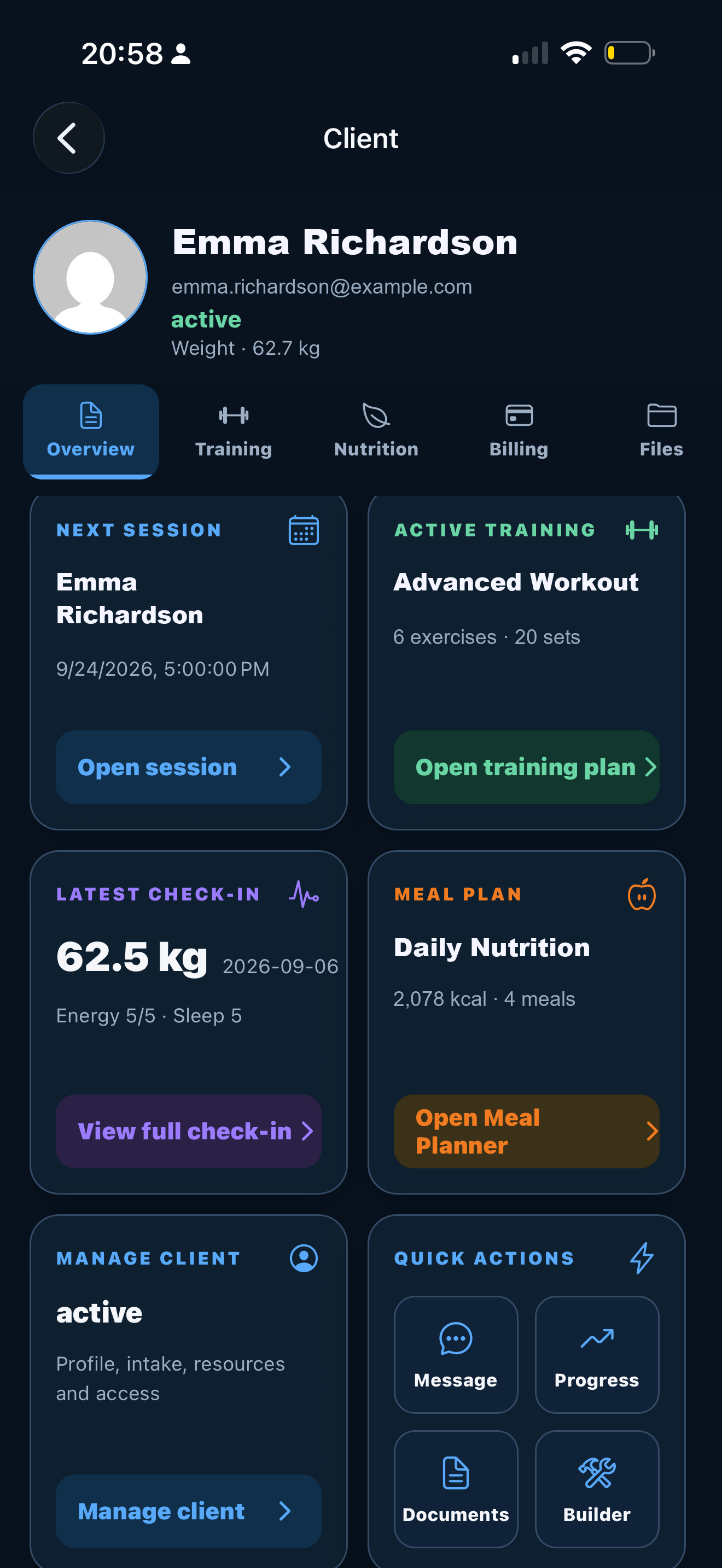
Every Client Has One Working Record

Open the client and work from the current context instead of reconstructing it from separate apps.

  • Status and next session
  • Active workout and history
  • Check-in and weight trend
  • Primary meal plan; Food Tracker overview in the mobile app
  • Messages and files
  • Billing and payment requests
  • Progress, Trainer Insights, and Body Scan records
  • Coach notes and history

Missing or insufficient data is shown as unavailable or building baseline — not treated as zero.
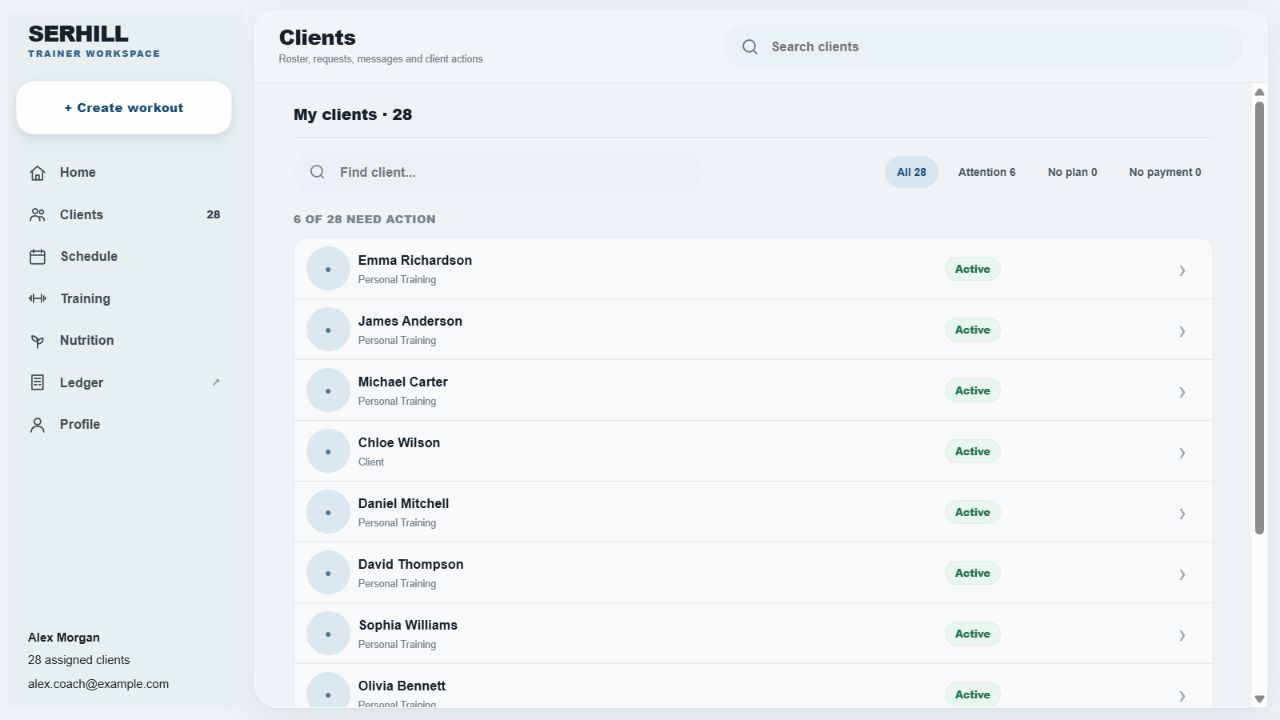
Web client list with sample namesMobile client record with workout, check-in and meal plan
From your web client list to one focused client record on mobile. Sample data · Open image to enlarge.
TRAINING

Build, Run, and Review Training in the Same System

Build

Manual workouts, Advanced Workout Builder, exercise catalog, sets, reps, weight, rest, tempo, notes, supersets, and previous results.

Run

Live timer, in-session exercise changes, actual performance, workout notes, exercise comments, and real completion time.

Review

Completed history, previous and best results, strength signals, cardio/activity records, and context for the next plan.

SERHILL helps structure the workout from available client context. The trainer reviews and controls the final plan.
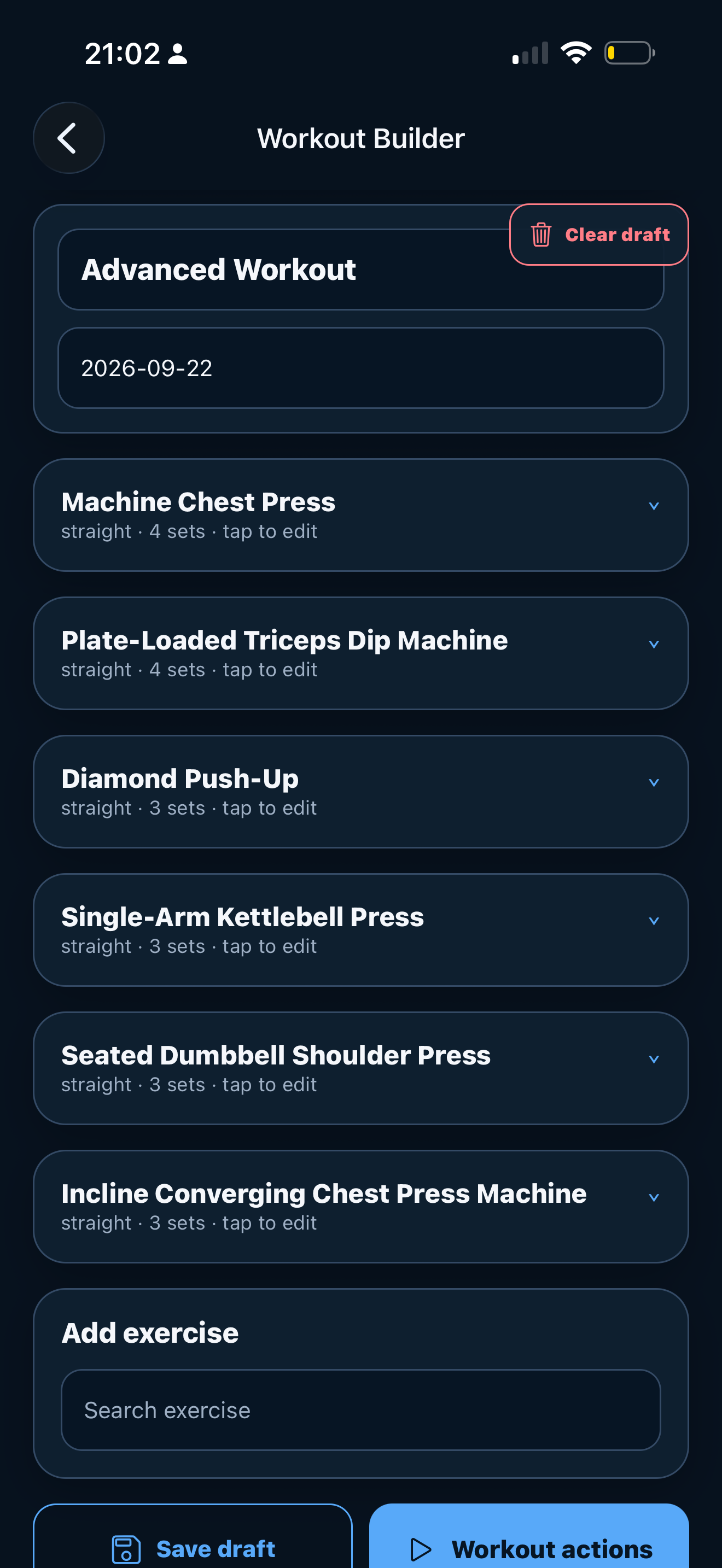
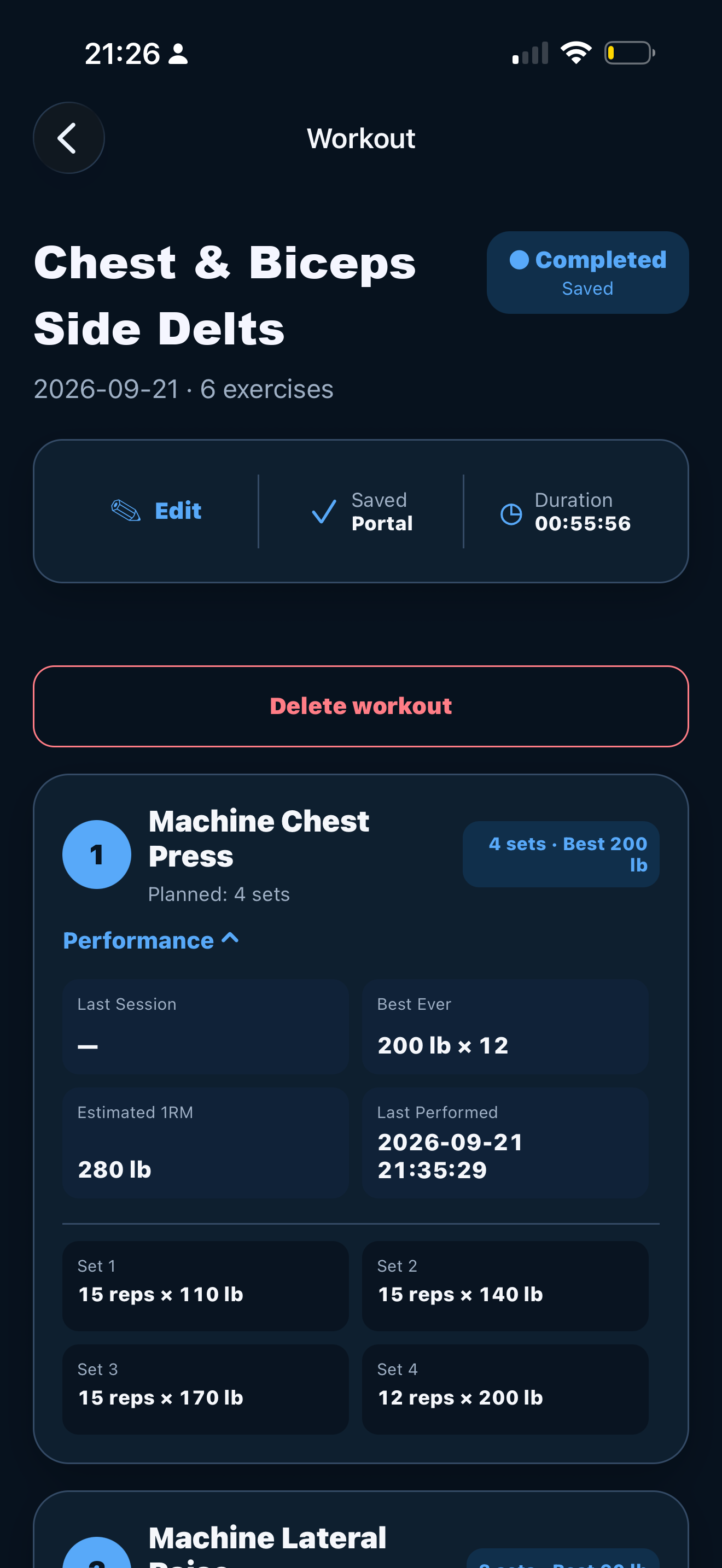
Mobile workout builder with exercises and setsCompleted workout with actual sets, reps and weight
Build the session. Review what was actually completed. Sample data · Open image to enlarge.
TRAINER INSIGHTS

Turn Client Records Into Clear Coaching Context

  • Training, nutrition, body, recovery, and adherence snapshot
  • Check-in and bodyweight trends
  • Exercise signals when enough data exists
  • Training consistency and nutrition logging coverage
  • Body and recovery trends
  • Data provenance and quality states

SERHILL insights are deterministic decision support based on recorded data. They do not replace trainer judgment or medical advice.
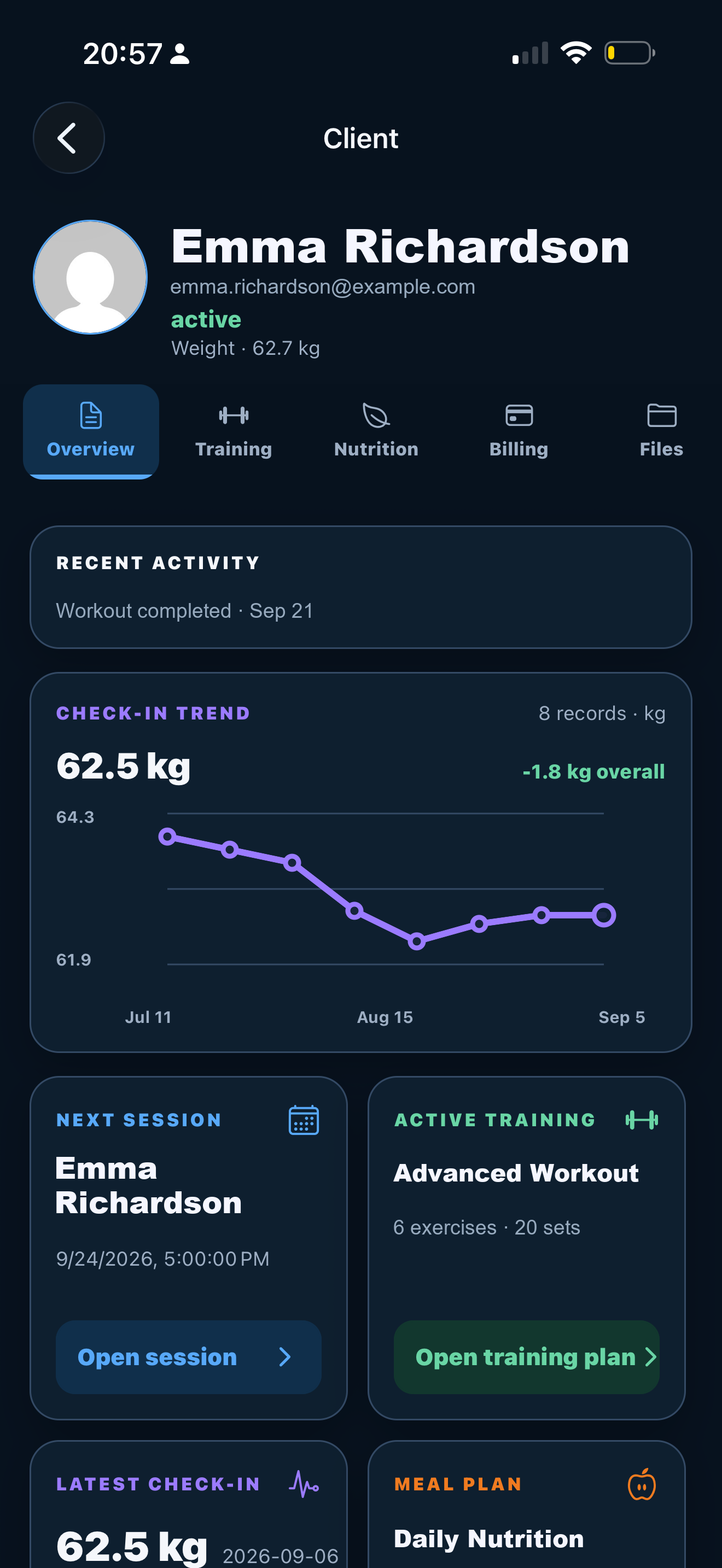
Client progress with check-in trend and training context
Mobile client progress · Recorded check-ins and training context. Sample data · Open image to enlarge.
SCHEDULING + GOOGLE CALENDAR

Keep Your Schedule and Availability Connected

  • Today and weekly calendar
  • One-time and recurring sessions
  • Start/end time and availability
  • Booking, cancellation, and reschedule requests
  • Attendance status
  • Single or future-series changes
  • Google Calendar synchronization and external busy-time conflict awareness

Google Calendar synchronization is available after the trainer connects a Google account. SERHILL scheduling works independently without Google.
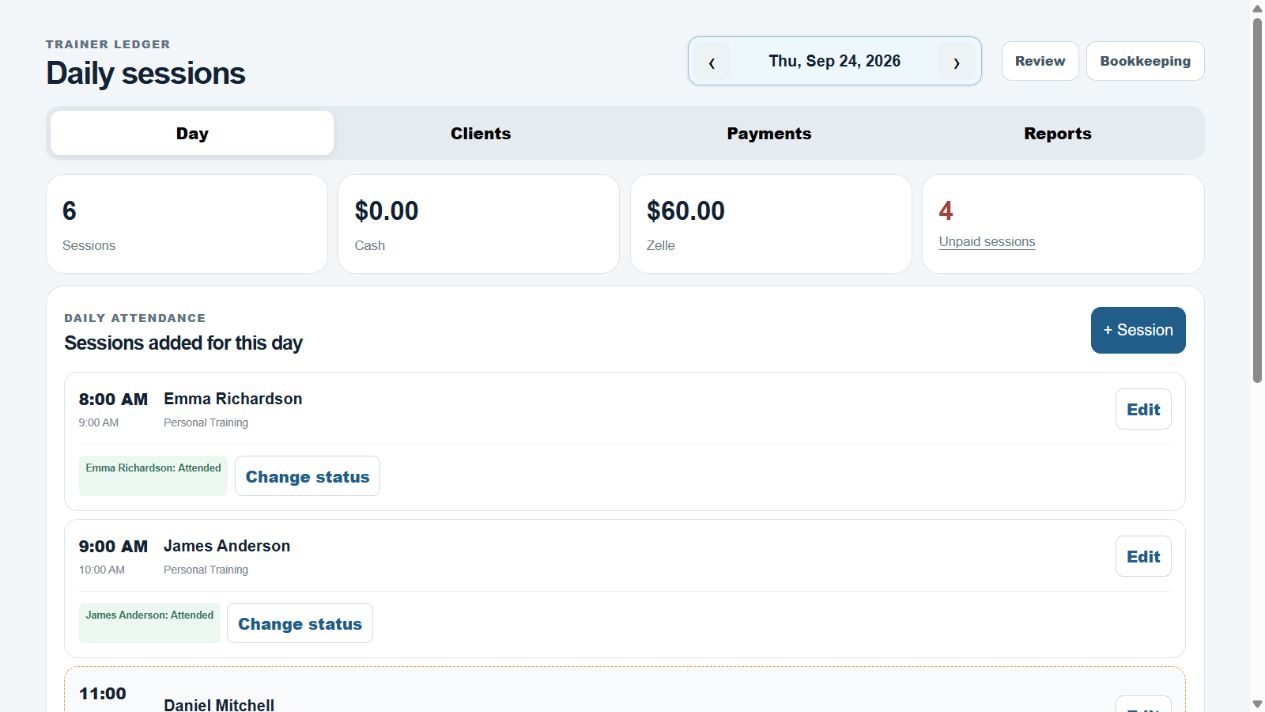
Web Ledger daily sessions and attendance controls
Web Ledger · Daily sessions and attendance in one view. Sample data · Open image to enlarge.
NUTRITION

Plan Nutrition and See What the Client Actually Logs

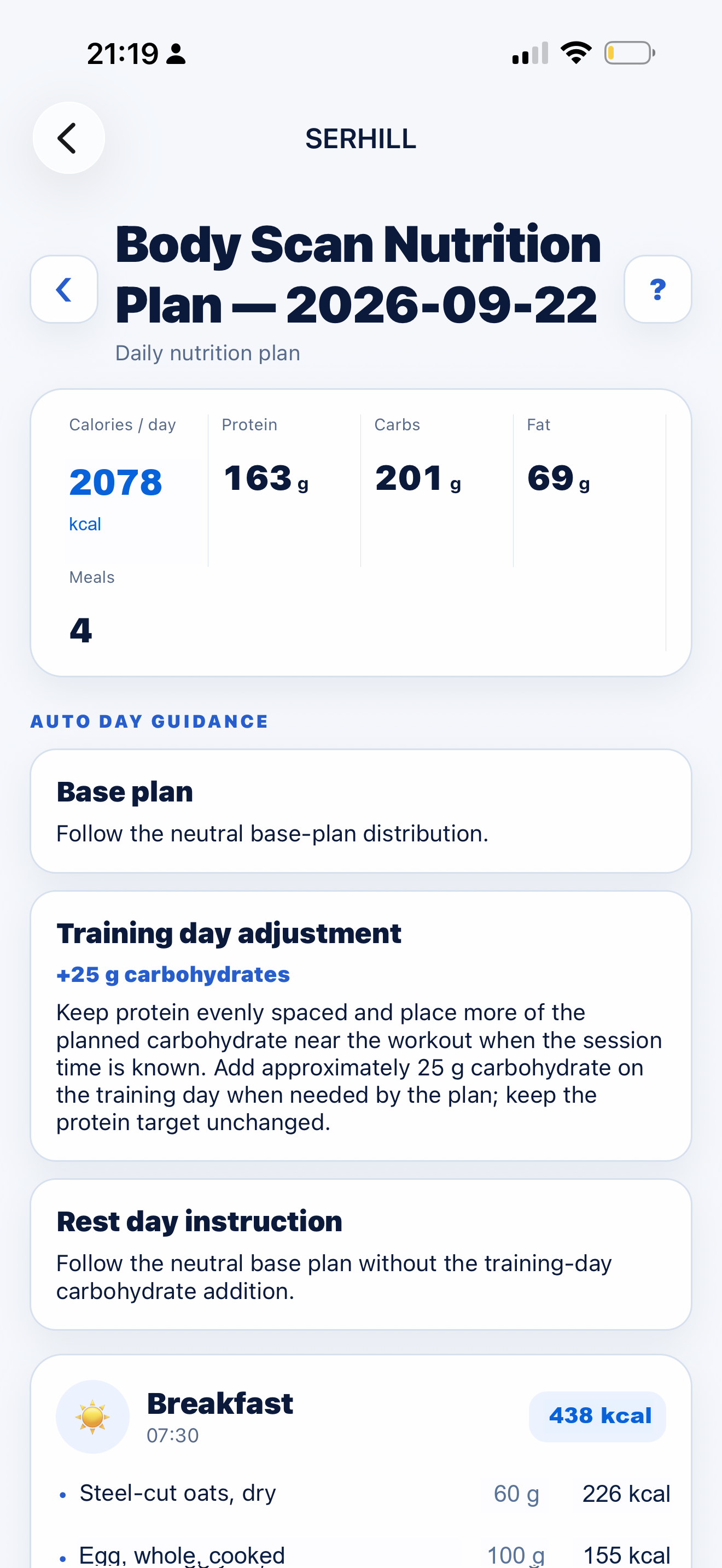
Meal Planner

Available on web and in the mobile app.

  • Shared server-side SERHILL Meal Method
  • Client weight, goal, activity, restrictions, and exclusions
  • Auto / Training Day / Rest Day
  • Editable generated draft and day adjustments
  • Shared food catalog and plan history
  • Primary plan assignment and trainer overrides

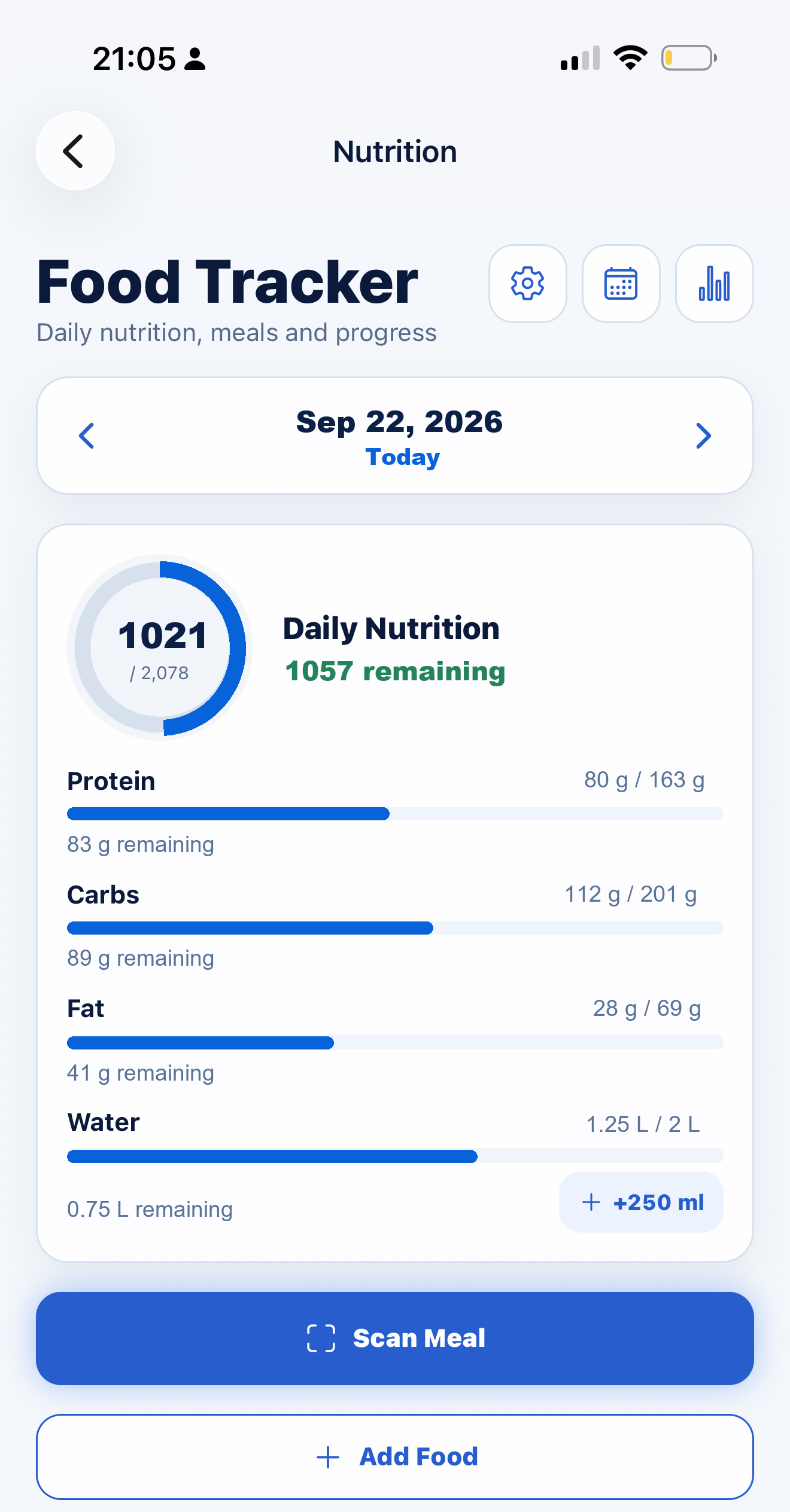
Food Tracker

Available only in the mobile app.

  • Canonical food search, favourites, and recent items
  • Private custom foods
  • g / oz and supported household units
  • Automatic calorie and macro recalculation
  • Multi-item food scan
  • Daily targets, weekly overview, meal review, and trainer comments
Mobile meal plan with daily calories and macrosMobile Food Tracker with logged intake, targets and water
Mobile app · Meal Planner beside Food Tracker. Food Tracker is available only in the app. Sample data · Open image to enlarge.
CHECK-INS + BODY SCAN

Follow Progress Beyond the Workout

  • Weekly check-ins, weight, and measurements
  • Energy, sleep, and subjective nutrition consistency
  • Coach review and weight trends
  • Body Scan report photo or camera import
  • Protected original report
  • Review recognized values before saving
  • Comparable trends only when methods and metrics support comparison

Check-in values are self-reported. Body Scan values are device-reported and require review against the protected original.
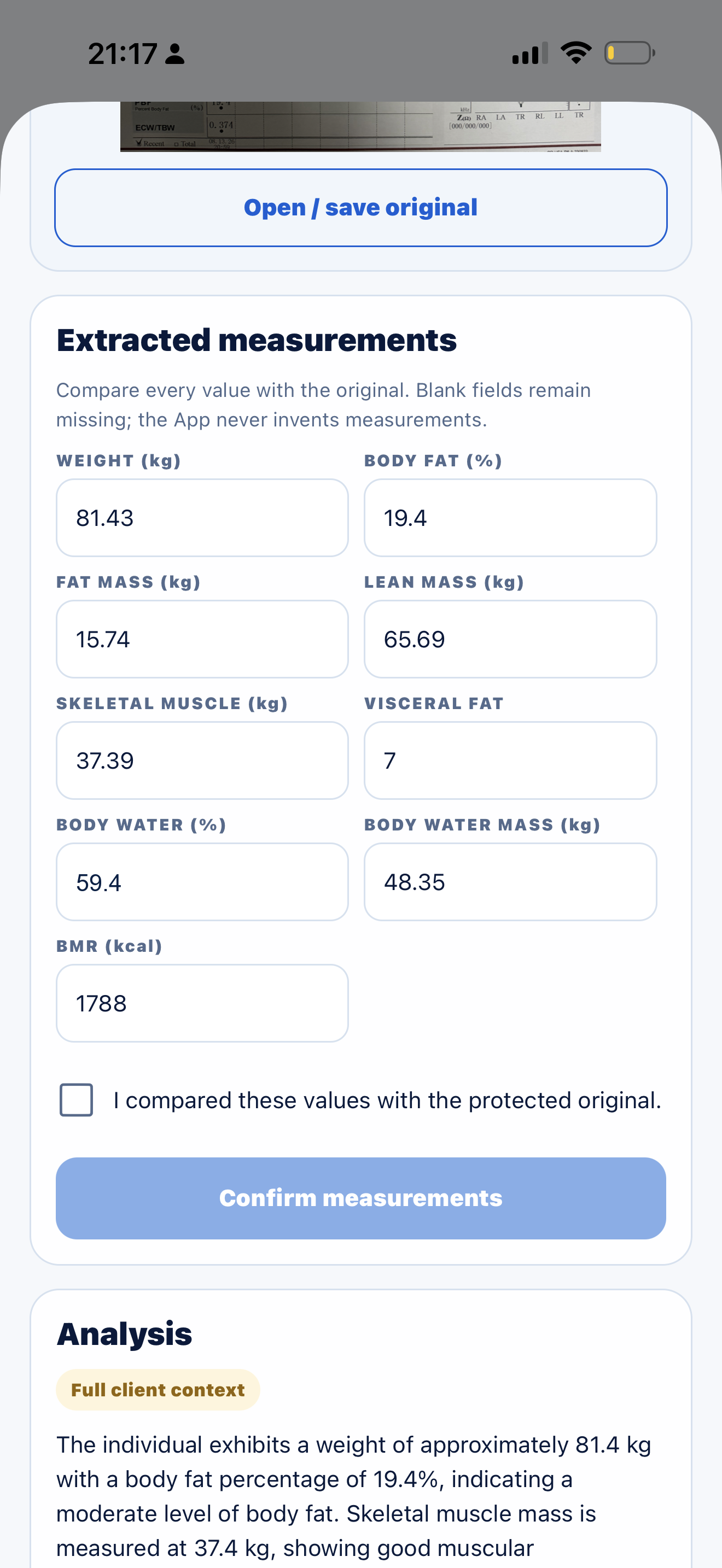
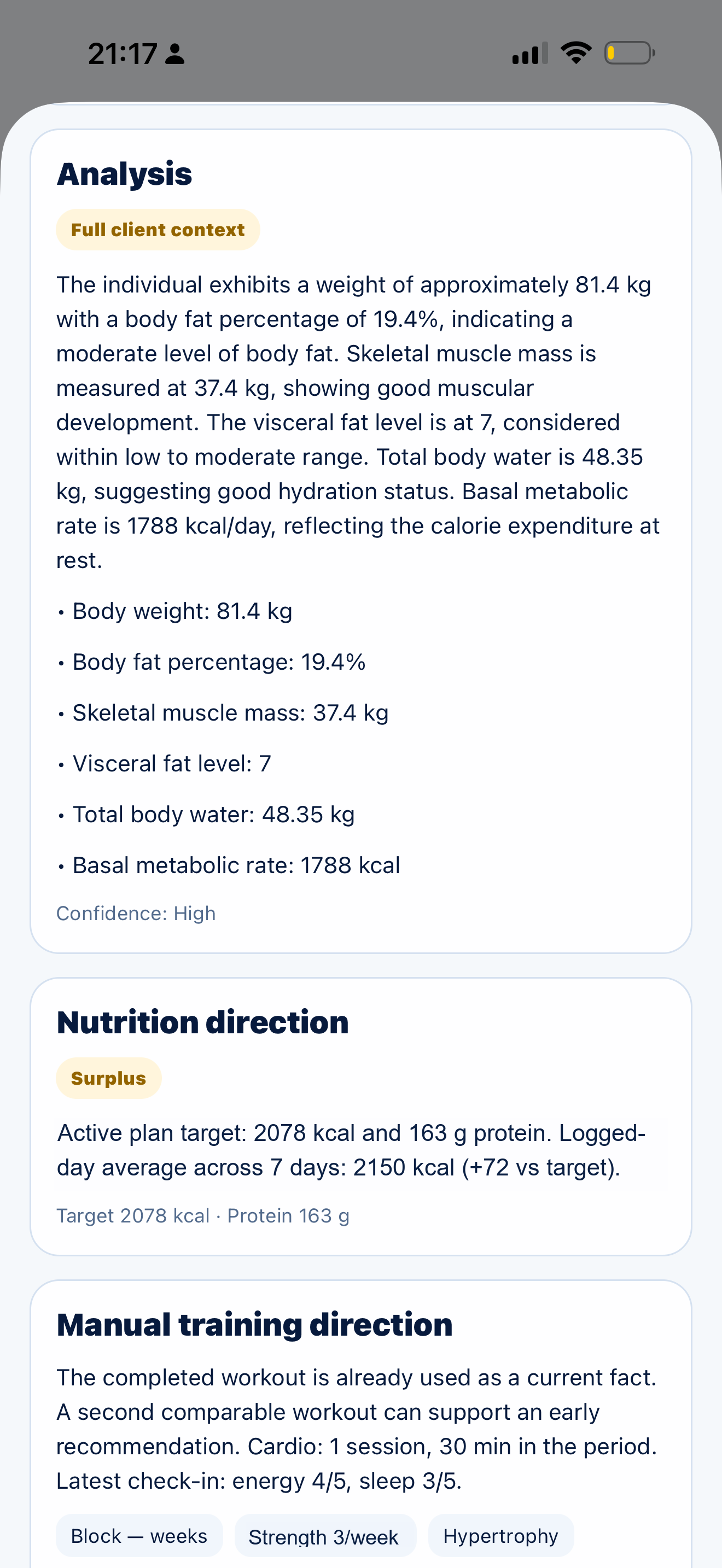
Body Scan measurement reviewBody Scan analysis with nutrition and training context
Review the extracted measurements, then read them in the client’s context. Sample data · Open image to enlarge.
COMMUNICATION

Stay Informed Without Watching Every Screen

Stay connected through portal messages and email on the web, with a notification center and push notifications in the mobile app.

Web communication

Email notifications and private trainer-client messages inside the portal, with in-portal message indicators. The web portal does not send push notifications.

App notification center

In the mobile app, check-ins, meals, messages, session requests, and payment events appear in one place.

App push + reminders

With notification permission enabled, the mobile app provides push notifications and reminders. Supported notifications can open the related record.

SESSIONS + PAYMENTS TRAINER PAYMENTS COMING SOON

Keep Attendance, Packages, Payments, and Business Records Connected

  • Attended, Cancelled, No-show, and Complimentary
  • Session packages, partial balances, and debt
  • Services and payment requests with due dates
  • Readable payment history and purpose
  • Cash, Zelle, card, and other recorded methods
  • Expenses, revenue, and net reports by Day / Week / Month

Payment tracking and business records are available now. Connected Stripe trainer payments and saved-card session payments are being prepared as the next payment layer.
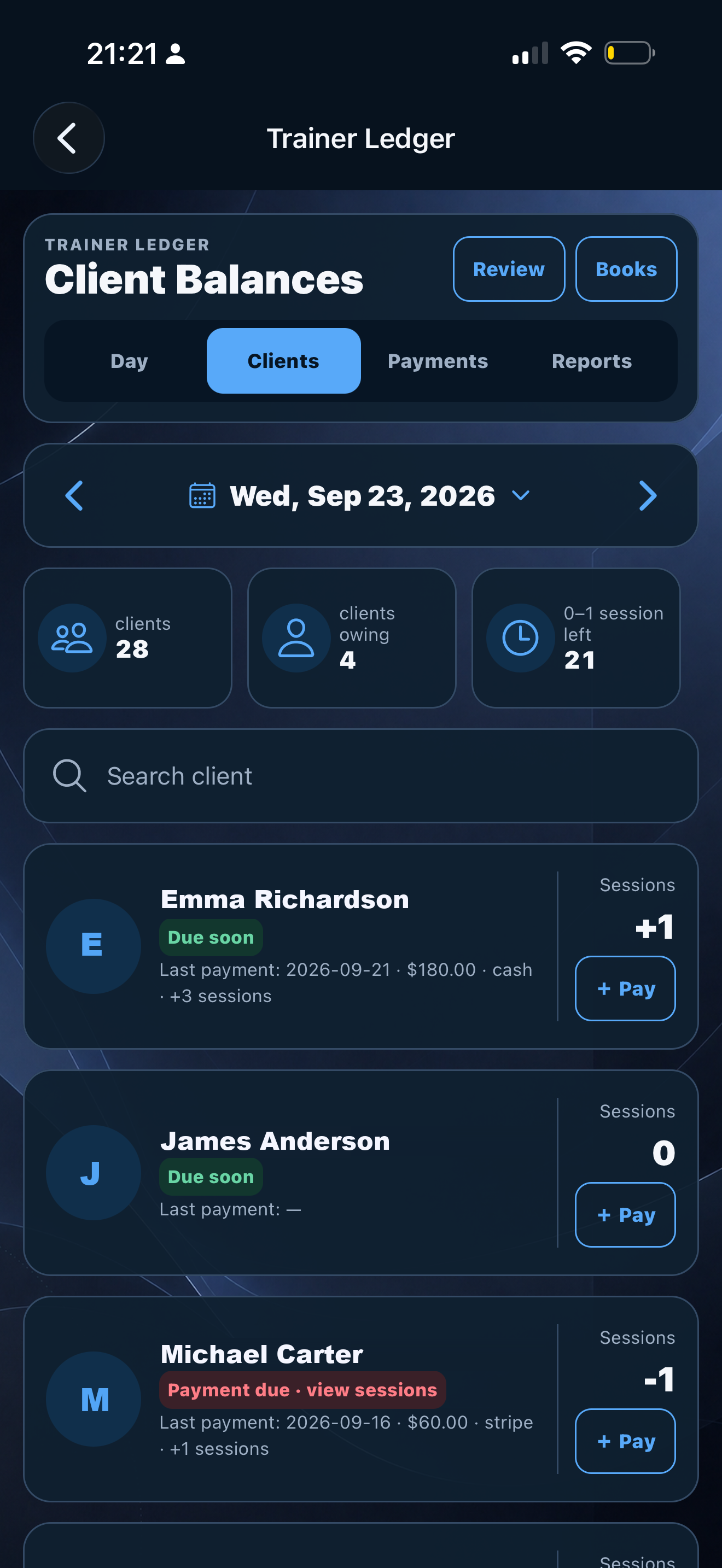
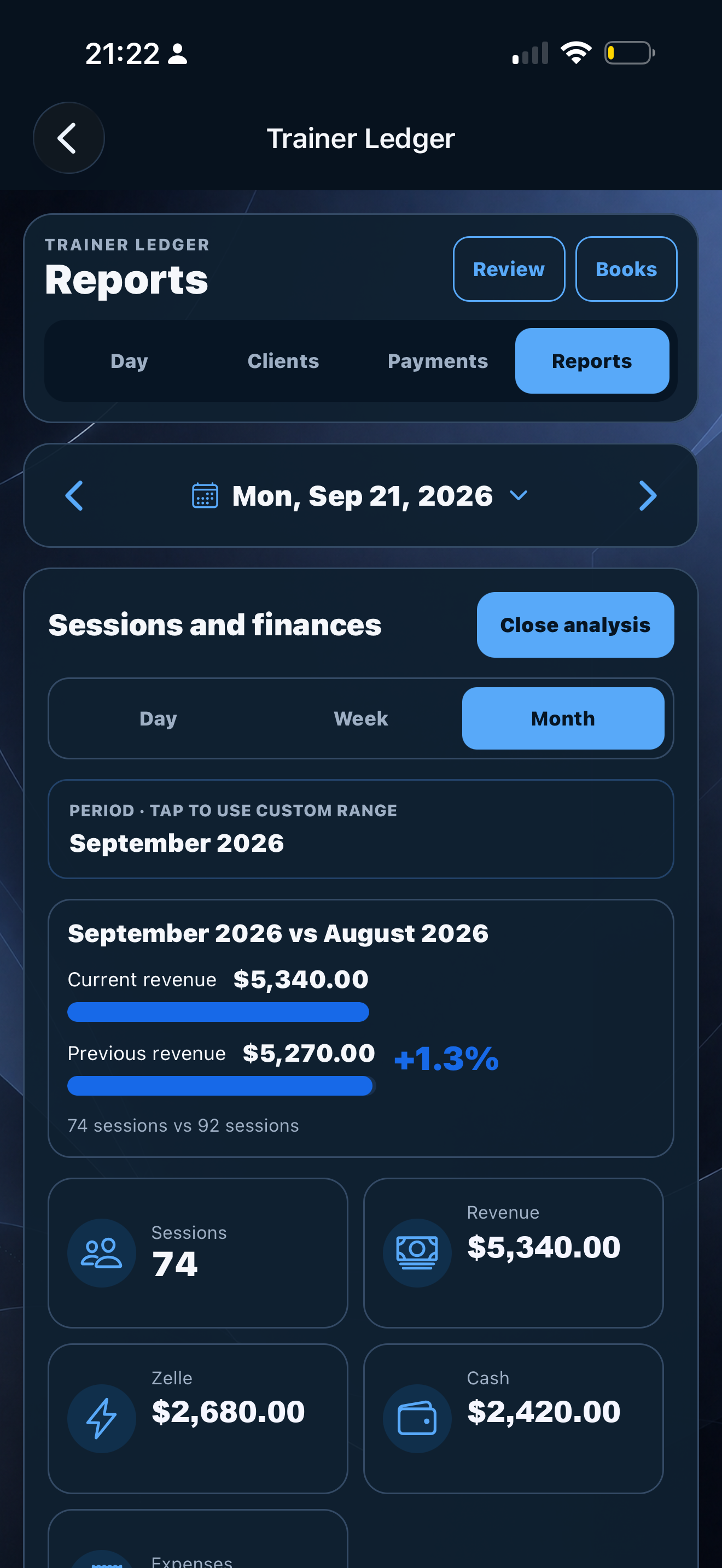
Mobile Ledger client session balancesMobile Ledger monthly business report
Client balances and monthly business records, available from your phone. Sample data · Open image to enlarge.
WEB + MOBILE

Work From the Portal or From Your Phone

One SERHILL account connects web and mobile. Available features differ by platform: Food Tracker, the notification center, push notifications, reminders, and app color themes are mobile-app features.

WorkflowWeb PortalMobile App
Client workspaceYesYes
Workouts and historyYesYes
Manual live workoutYesYes
Advanced Workout BuilderYesYes
Schedule and LedgerYesYes
Google Calendar connectionYesYes
Meal PlannerYesYes
Food Tracker and meal reviewNoYes
Insights and progressYesYes
Trainer-client messagesYesYes
Notification centerNoYes
Push notificationsNoYes
RemindersNoYes
App color themesNoYes
SERHILL MOBILE APP

Currently in beta testing

Expected public release: October 2026

Download on theApp StoreBeta
CLIENT EXPERIENCE

Your Client Gets a Focused Experience — Not Your Business Dashboard

  • Assigned and eligible self-created workouts
  • Active workouts and history
  • Meal plans on web and in the mobile app
  • Food Tracker and private custom foods in the mobile app
  • Check-ins, measurements, and progress
  • Messages and scheduling requests
  • Payment requests and billing information
  • App notifications, reminders, and color themes
  • Language preferences where supported
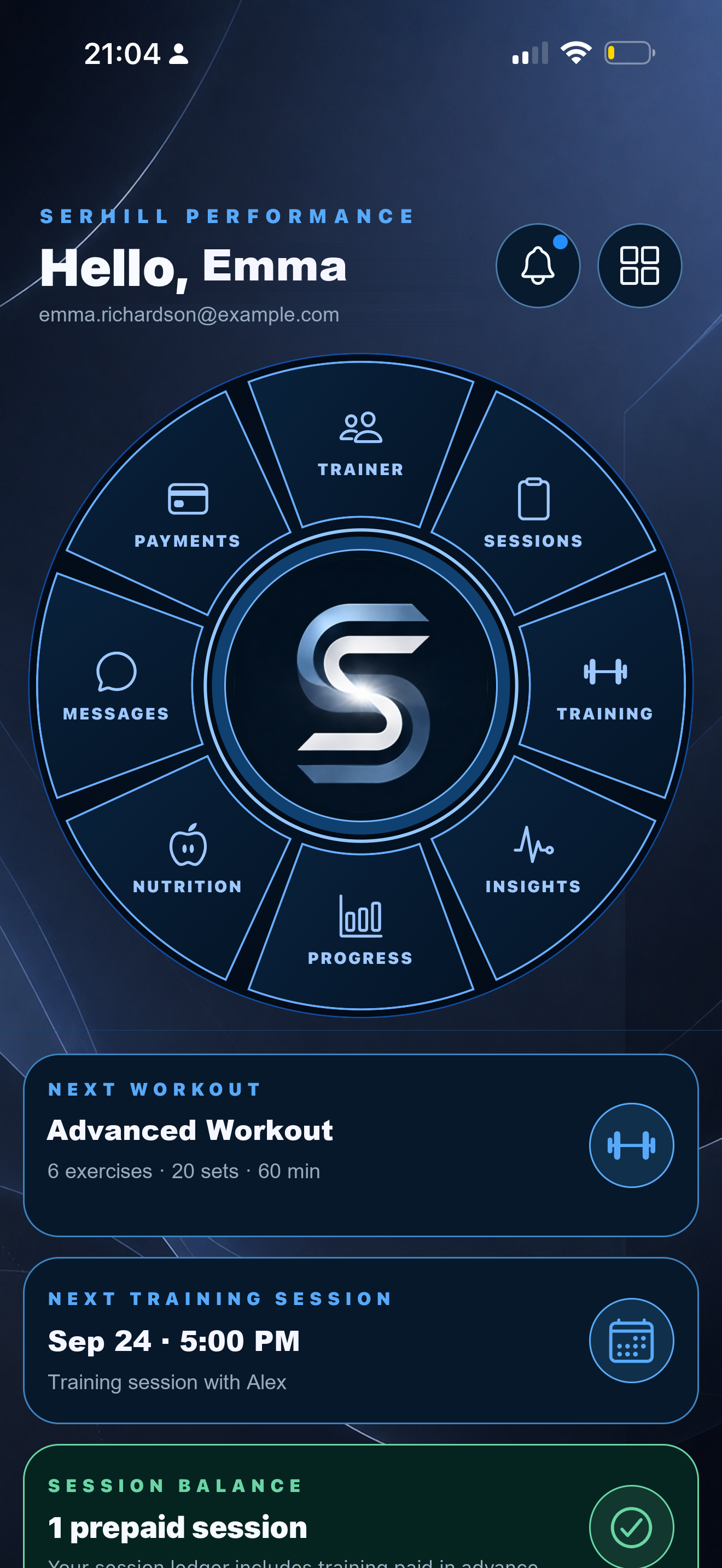
Client Home with next workout, next session and one prepaid session
Client Home · The next workout, next appointment, and prepaid session balance. Sample data · Open image to enlarge.
ONE TRAINER PLAN

Trainer Workspace

One trainer workspace for clients, workouts, scheduling, nutrition, progress, communication, and business records. Client access follows the services and entitlements assigned to each account.

ACTIVE
$35 + tax/ / month

1-day trainer trial.

  • Trainer web workspace
  • SERHILL mobile trainer workflow
  • Client management and scheduling
  • Training, nutrition, progress, communication, and business records
START TRAINER TRIAL
FAQ

Questions Trainers Ask Before Starting

Is SERHILL for independent personal trainers?

Yes. SERHILL is built for independent, in-person, online, and hybrid personal trainers who want one connected workspace for client delivery and business records.

Can SERHILL sync with Google Calendar?

Yes, after the trainer connects a Google account. SERHILL scheduling continues to work independently when Google Calendar is not connected.

Can clients track food and view meal plans?

Meal plans are available on web and in the mobile app when included in the client’s access. Food Tracker, including food logging and meal review, is available only in the mobile app.

Can trainers build and run workouts from the mobile app?

Yes. Trainers can work with workouts and history, run manual live workouts, and use Advanced Workout Builder from the supported mobile workflow.

Does SERHILL process payments?

Today SERHILL tracks payment requests, payment records, balances, and business reporting. Connected trainer payment processing is shown separately when that payment layer is active.

Do clients get their own account?

Yes. Clients get a focused account for the services assigned to them without access to the trainer's business dashboard.

SERHILL FOR PERSONAL TRAINERS

Keep the Work Connected as Your Client List Grows

One account. One client record. One workflow across web and mobile.

START TRAINER TRIAL